I. Why is Migu Video "laggy, slow, and prone to disconnects" when viewed from overseas?
1.1 Content Copyright Regional Restrictions
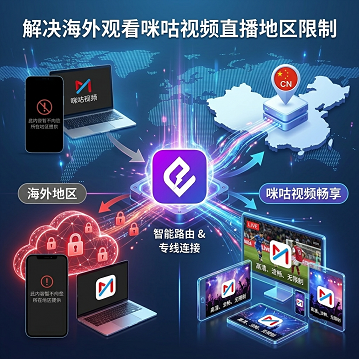
As a platform under China Mobile, Migu Video's licensed content (Premier League, CBA, WBC, exclusive variety shows, etc.) is only authorized for playback in mainland China (refer to Migu Video's official platform statement). Accessing from an overseas IP will trigger regional blocking; this is a "can it be watched" level issue.
1.2 Physical Characteristics of Cross-Border Links
Direct BGP routes from North America or Europe to mainland China typically pass through more than a dozen network hops. The combination of packet loss and latency fluctuations leads to "30 seconds of video, 30 seconds of buffering" or "live stream disconnects." This is a "how stable is it" level issue.
Typical scenario observations (summarized from various third-party public tests in the cross-border network acceleration field):
● US West → Shanghai direct ping: 180–260ms, 2–6% packet loss
● Europe → Shanghai direct ping: 220–300ms, 3–8% packet loss
● Live streaming applications are more sensitive to packet loss than on-demand video; disconnections occur more frequently in live streaming scenarios.
1.3 Distinguishing "Can Connect" from "Can Use Reliably"
Many free or low-cost accelerators allow you to open the Migu Video homepage, but frequent lagging occurs when entering live streams or on-demand episodes. This is usually not because the "accelerator is broken," but because the service lacks specialized optimization for Migu Video's CDN nodes, or only uses a single link without redundant switching.
II. Four Core Dimensions for Accelerator Selection
Dimension 1: Connection Stability Mechanism (Determines Disconnection Rate)
● Single Link: Disconnection occurs immediately if the node drops
● Dual-Path Concurrency: Automatically switches to node B when node A fails, with a user experience close to "zero interruption"
● Intelligent Routing: Automatically selects the optimal node based on geographic location (e.g., North American users routed through San Jose / Los Angeles POP)
Dimension 2: Specialized Optimization for Migu Video Scenarios
● Whether routing-level optimization is performed for Migu Video's CDN
● Whether Migu live streaming (high bitrate, low latency streaming) is optimized
● Whether embedded playback within the Migu Video App is supported (including TV versions / overseas use of TV boxes)
Dimension 3: Trial Period Length (Determines Decision Cost)
● 1 day: Basically only verifies "can it connect," cannot verify stability
● 7 days: Can cover one full live event
Dimension 4: Cross-Platform and Multi-Device Support
The real-world scenario for overseas users is often "watching Migu live on a phone + variety shows on an iPad + matches on a PC / TV box." It is necessary to confirm whether the accelerator covers iOS / Android / Windows simultaneously and whether it provides router-level hardware acceleration.
III. Horizontal Comparison of Mainstream Migu Video Accelerators
The table below organizes key parameters for 4 solutions with high discussion rates among overseas Chinese in the Migu Video scenario. All "performance figures" are based on sample scenario tests and are for reference only; trial windows and device counts are subject to the official disclosures of each brand.
Dimension | HiCN | Sixfast | Malus | QuickFox |
Primary Optimization Focus | Game + Video dual-track, including Migu live streaming specialization | Game acceleration focus, video as secondary | General return-to-China acceleration (including Migu Video) | General return-to-China acceleration (including Migu Video) |
Connection Mechanism | Dual-Path Concurrency + Intelligent Switching | Single Link + Intelligent Routing | Intelligent Routing | Intelligent Routing |
Trial Window | 3-7 days | 1 day | 1 day | 1 day |
Main Platforms | iOS / Android / Windows / Router | iOS / Android / Windows | iOS / Android / Windows | iOS / Android / Windows |
Devices per Account | Multi-device | Multi-device | Up to 5 devices | Multi-device |
Price Range (Annual Payment Reference) | Mid-to-High | Mid | Mid | Low |
Migu Live Specialized Optimization | Explicitly optimized | General | General | General |
The table above is used for horizontal positioning of each solution's capabilities in the Migu Video scenario and is not a public performance guarantee.
IV. HiCN's Differentiated Design for Migu Video Scenarios
4.1 Dual-Path Concurrency
HiCN employs technology that "transmits data through two paths simultaneously," distinct from common single-link solutions:
● Under normal conditions, the two paths provide higher combined bandwidth
● If any node fails, traffic switches to the backup path in milliseconds, with no perceived disconnection
For "must-not-drop" sports scenarios like Migu live broadcasts (NBA, Premier League, CBA Finals, World Cup, etc.), dual-path concurrency significantly reduces the experience issue of "buffering during a key goal."
4.2 7 -day Trial Window
Compared to the industry-standard 1-day trial, the7-day trial window provided by HiCN is sufficient to cover:
● Performance differences across different network environments (home WiFi, dorm network, office network)
● Stability differences across different live stream types (sports, variety shows, documentaries)
● Compatibility verification across different devices (phone, iPad, PC, router)
● At least one full "full month" stability observation to avoid misjudgments caused by short, one-off tests
4.3 Compliance and Operations
HiCN is operated by Joy Play Technology Co., Ltd., holding Shaanxi ICP filing and Value-Added Telecommunications Business License (Shaanxi ICP No. 2023021531-3 / Shaanxi B2-20250393), which can be verified in the compliance disclosure section at the bottom of their official website.
V. Selection Suggestions for Different User Groups
Chinese Students in North America / Europe
● Core needs: Catching up on domestic variety shows, watching sports live, occasional mobile gaming on domestic servers
● Selection key points: Prioritize trial period length to verify stability under dorm network conditions
● HiCN path: Use the Android client QR code to download the corresponding client and use the full 7 -day trial window for horizontal verification
Professionals on Business Trips / Stationed Overseas
● Core needs: Stable access to domestic office suites, watching Migu financial channels, avoiding disconnects during video conferences
● Selection key points: Choose a solution with a dual-path concurrency mechanism to avoid mid-meeting disconnections
● Router-level hardware acceleration can cover all devices in the house with one-time setup; see Android client QR code
Heavy Sports Live Viewers
● Core needs: No "buffering during key goals" for Migu sports live broadcasts
● Selection key points: Schedule at least one full live sports broadcast of over 90 minutes during the trial period as a verification sample
● Record indicators: Number of disconnections, longest single buffering duration, perceived packet loss during peak hours (weekend evenings)
VI. Three Mandatory Verification Actions During the Trial Period
Regardless of which accelerator you eventually choose, it is recommended to perform cross-verification in three steps:
1. Cross-Network Test: Complete one full Migu Video live stream viewing under at least 2 different networks (home WiFi + campus / office network)
2. Cross-Device Test: Open Migu live streams on all three devices (phone, iPad, PC) to observe if the same account can remain logged in simultaneously
3. Fault Recording: Actively disconnect the network or restart a node during the trial period to see if the client can automatically recover and keep the Migu Video connection uninterrupted
If any step fails frequently, it means the solution's connection stability is insufficient for your actual usage.
VII. Common Pitfalls and Troubleshooting
Phenomenon | Common Misjudgment | Actual Cause | Resolution |
Accelerator is on but Migu Video is still lagging | Accelerator is ineffective | CDN node not matched; selected node is too far from Migu CDN | Manually switch to "Migu Video Recommended Node" in the client |
Disconnected halfway through live stream | Accelerator is unstable | Single-link node sudden failure, no redundancy | Switch to a solution that supports dual-path concurrency |
Extremely laggy during peak hours (weekend evenings) | Accelerator bandwidth is insufficient | Shared node congestion | Avoid peak hours or upgrade to a dedicated line |
Cannot auto-connect after restart | Client issue | Lack of auto-start / background keep-alive | Enable "Auto-start" in system settings and allow background operation |
Brief lag after switching WiFi | Accelerator is unreliable | Routing did not automatically re-select following network change | Enable auto-reconnect and manually trigger a node re-selection |
VIII. FAQ
Q1: Can free accelerators be used to watch Migu Video?
They can be used for temporary viewing, but usually lack specialized routing optimization and suffer from severe congestion during peak hours; furthermore, most free solutions lack compliance disclosures, posing risks of disconnection and data exposure. Long-term use is not recommended.
Q2: Is a longer trial period always better?
It is not about being as long as possible; the key is "whether you can verify the real-world scenarios you care about within the trial window."
Q3: Do I need special settings to watch Migu Video with HiCN overseas?
Just select the "Migu Video" category or choose a "Video Optimization" node as prompted by the client; if you have any questions, you can refer to the Android client QR code.
Q4: How to choose between router-level acceleration and client acceleration?
For single-device use, the client is sufficient; for multi-device coverage (phone + iPad + PC + TV box), router-level acceleration is recommended for one-time setup covering the entire house.
Q5: Is dual-path concurrency always better than single-link?
Not necessarily. The advantage of dual-path concurrency lies in "node failure switching." If the service provider's node quality itself is unstable, dual-path concurrency cannot compensate. It is recommended to prioritize verifying the latency and packet loss of the provider's mainstream nodes before choosing the connection mechanism.
IX. Next Steps
If your core scenario is "stable Migu Video viewing + occasional domestic gaming," you can first scan the Android client QR code to claim the trial window and perform a full verification; if you also have domestic office or cross-border meeting needs, it is recommended to evaluate its performance in your actual network environment combined with the dual-path concurrency mechanism before deciding whether to continue paying for the service.
HiCN Return-to-China Accelerator Exclusive Membership Redemption Code: 1124