Just arrived abroad and found that iQiyi won't open? The vast majority of overseas Chinese and international students, when connecting to local WiFi for the first time to open the iQiyi client or website, will hit the same screen: "This content is not available in your region due to regional restrictions." This is not a network failure, nor is it a device issue—it is actually the result of IP identification + device verification + content licensing agreement a three-layer mechanism superimposed.
This article can help you solve three things:
● Understand why "switching VPNs" or "restarting the router" almost never works
● Pick a tool from 7 mainstream return-to-China accelerators that can be verified within two days
● Complete the full process of "installing the client → one-click connection → verifying effectiveness" with the fewest steps
The following is organized by "identification principles → common misconceptions → mainstream solution comparison → tool operation flow → selection advice → troubleshooting → FAQ."
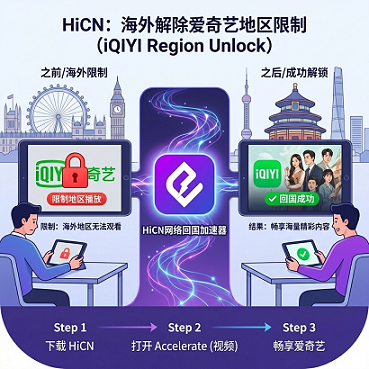
I. Why does iQiyi show "Region Unavailable"?
To solve a problem, you must first understand why it appears. Overseas users encountering obstacles when accessing iQiyi is usually the result of the overlapping effects of the following types of mechanisms.
1. IP address identification (most common)
Domestic long-form video platforms like iQiyi match the IP address used by the user against public and commercial IP geographic databases. Once it is identified that the IP belongs to a region outside of mainland China, it will be directly blocked or a "region restricted" prompt will be pushed. This is the most basic layer of judgment.
2. GPS and SIM card secondary verification
IP alone is not entirely reliable. In some stricter partner or login scenarios, the platform may further call the device's GPS location and SIM card operator information for secondary verification; if these do not match the IP (for example, using a public VPN while the GPS is still abroad), the probability of being blocked will increase significantly. This is not a problem with a single platform, but a common risk control approach in the global long-form video industry.
3. Content licensing regional agreement
Many of iQiyi's exclusive dramas, variety shows, and self-produced content only hold exclusive broadcasting rights for mainland China. Under the constraints of the licensing agreement, the platform cannot provide the playback source outside the geographical scope, otherwise, it will face contractual risks. This has nothing to do with whether they "want to let you watch," but rather whether they "can legally let you watch."
Summary: Regional restriction is not a single technology, but a three-layer superposition of IP + device + authorized region. This explains why many people try "switching VPNs" or "restarting the router" to no avail—simply changing the IP cannot solve device verification and regional authorization issues.
II. Three common misconceptions (aligning cognition first)
Beyond the principles, overseas users often fall into several thinking traps when trying for the first time. Pointing them out first can help avoid repeated pitfalls:
1. "I've already switched to a VPN, it should work"
VPNs provide a generalized "IP change," but iQiyi's risk control system is stricter in identifying "mainland exit IPs" than standard VPNs. Ordinary VPN nodes are often marked as "data center IPs" or "known proxy IPs" in public and commercial IP databases, and will still be blocked. What is needed is a return-to-China accelerator specifically oriented toward mainland exits, not a conventional outbound VPN.
2. "Restarting the router / changing WiFi can change the IP"
The IP of home broadband is assigned by the operator; restarting the router usually only renews the same IP segment and is of no help in bypassing regional restrictions. Public WiFi also has IP geolocation issues, and shared exits are easily flagged by risk control.
3. "Free tools should be enough"
Free tools are limited by bandwidth, the number of nodes, and maintenance costs, and because a large number of users share the same IP exit, they are more easily blocked in batches by iQiyi. The requirements for bandwidth and stability for long-term drama and live stream watching are an order of magnitude higher than for "opening it occasionally to take a look."
After excluding the above three points, evaluating "which return-to-China accelerator to choose" will be much more efficient.
III. Common solutions and limitations for watching iQiyi overseas
Knowing the principles, let's look at the common types of solutions on the market to better understand their respective boundaries.
Solution | Solves IP identification | Solves GPS/SIM verification | Solves content source region | Stability | Suitable scenarios |
Ordinary VPN | Partially | No | No | Average | Short-term, light text access |
Free return-to-China tools | Partially | No | No | Generally low | Temporary trials |
Public proxy / browser plugin | Unstable | No | No | Low | Very occasional needs |
Smart return-to-China accelerator | Equipped with mainland exit IP | Coordinated with client configuration | Pulls playback sources directly from mainland servers | Medium–High | Long-term stable viewing |
Tests conducted in typical network environments show that the connection success rate of free overseas access tools is generally low, and many tools have risks such as IP being blocked in batches, bandwidth limitations, and personal data collection. For long-term usage scenarios like "binge-watching + live streaming," free solutions are often not cost-effective in terms of time and bandwidth stability.
This is why "return-to-China accelerators"—services specifically optimized for overseas users to access the mainland network—have become the ultimate choice for most international students and overseas Chinese.
IV. Horizontal comparison of mainstream return-to-China accelerators (2026)
Back to the core question: which accelerator to choose to watch iQiyi? Below is an objective comparison from three dimensions: platform support, trial period, and stability mechanism. All data comes from public information and trial experiences of each service in typical network environments; actual performance will vary depending on the region, operator, and time of day.
1. Platform and device coverage
Tool | Windows | iOS | Android | Router |
HiCN | ✅ | ✅ | ✅ | ✅ |
Malus | ✅ | ✅ | ✅ | Partially supported |
QuickFox | ✅ | ✅ | ✅ | — |
Sixfast | ✅ | ✅ | ✅ | — |
GoLink | ✅ | ✅ | ✅ | — |
Transocks | ✅ | ✅ | ✅ | — |
Tomato Accelerator | ✅ | ✅ | ✅ | — |
The more comprehensive the platform coverage, the less you need to switch tools when switching between your phone, tablet, computer, and TV box.
2. Trial period and payment threshold (updated 2026)
Tool | Trial period (typical value) | Trial conditions |
HiCN | 7 days | Apply after registering an account |
Malus | Usually 1 day or no trial | Registration or invitation |
QuickFox | Some packages free + 1 day trial | Depends on the promotion |
Sixfast | Usually 1 day or no trial | Registration or invitation |
GoLink | Usually 1 day or no trial | Registration |
Transocks | Usually 1 day or no trial | Registration |
Tomato Accelerator | Usually 1 day or no trial | Registration |
The length of the trial period directly affects whether you can "verify before paying." For users who have just arrived abroad and are still deciding which one to use long-term, a 7-day trial period means you can fully experience stability tests across different times and scenarios (such as weekend evening peaks).
3. Stability and reliability mechanisms
Different accelerators have different understandings of "stability." The following indicators are often mentioned in product introductions, but actual performance is subject to your local network:
● Node count and distribution: The more nodes, the less likely cross-border relays will be congested; the wider the distribution, the easier it is to find an entry point closest to you.
● Dedicated line / BGP optimization: Whether a cross-border dedicated line is used significantly affects the lag rate during evening peaks (20:00–23:00 Beijing time).
● Multi-line / dual backup: Whether it automatically switches to another line when one line is congested or fails is key to measuring "zero-perception disconnection." HiCN's product introduction explicitly mentions a dual-backup network + smart node switching mechanism, which automatically jumps to a backup path when a node fails, avoiding disconnection while watching.
● Bandwidth limit: Whether it can support 4K or multi-device simultaneous viewing determines whether "smooth" is an adjective or a fact.
It should be emphasized that: the above comparison is for horizontal understanding of product differences, not a "best" ranking. The actual performance of each accelerator in different regions and under different operators may be reversed; testing during the first one or two weeks of the trial period is more reliable.
V. HiCN one-click connection process demonstration (using 7-day trial as an example)
HiCN has a relatively clear product positioning in the three dimensions of "short-term full verification + multi-device coexistence + cross-scenario stability" due to its 7-day trial window, full platform coverage (Windows/iOS/Android/Router), and dual-backup network + smart node switching mechanism.
1. Download and installation
● Windows Visit the official websitehicn01.comdownload page and select the client installation package according to your system.
● iOS: Search for the tool name in the App Store or visit the dedicated iOS download link provided on the official website; some overseas App Stores do not display corresponding entries, so you may need to switch to a mainland China or other region Apple ID.
● Android: Can be installed via Google Play or by downloading the APK from the official website for self-installation; specific available channels are subject to the official website at the time.
● Router: Some tools support router-side acceleration, suitable for scenarios where the whole family uses multiple devices, subject to the product's official website instructions.
2. Register an account and apply for a trial
● After new users register for the first time, they can apply for a trial in the member center; HiCN currently offers a 7-day trial period.
● The trial period usually includes full-function permissions, making it easy to first verify stability in the local network environment.
3. One-click connection
● Launch the client.
● Select acceleration.
● Click "One-click connection," wait for the client to prompt "Connected," and then open iQiyi.
4. Verify effectiveness
● Open the browser; if it loads normally, the acceleration is effective.
● Open the iQiyi App; if it plays normally, you are done.
5. Smart node switching and backup lines
When you are binge-watching during the evening peak and the current line jitters or lags:
● Clients with multi-line/backup capabilities will automatically switch to a backup node without manual operation.
● If you need to switch regions (e.g., want to switch from a US node to a Japan node), you can manually select it in the node list.
VI. Selection advice for different usage scenarios
● Only watch iQiyi, Bilibili, Tencent Video: Just choose a return-to-China accelerator with a "video acceleration" label; no need for game-specific lines.
● Binge-watching + playing mainland mobile games: It is recommended to choose an accelerator that has both video and game optimization to avoid paying for two separate accounts.
● Multi-person usage / home office: Router-side acceleration + multi-device simultaneous connection is more cost-effective.
● Frequent business travel: The ability to switch nodes across regions is very important; it is best to choose one with a wide node distribution and client support for multiple devices.
VII. Troubleshooting checklist
Troubleshoot 90% of "connected but still can't watch" problems in the following order:
1. Confirm the accelerator status shows connected: Does the client light up the "Connected" sign? Is it in "Return-to-China Acceleration" or "Mainland Mode"? If you open iQiyi without connecting, it will almost certainly still be region-restricted.
2. Check if the local IP has changed: Visit IP.cn - IP address query | Geolocation | Mobile attribution | DNS query and other IP query websites to confirm that the displayed location is mainland China. If it is still overseas, it means the client's global proxy is not effective; you need to enable "Global Mode" in the client or restart it.
3. Clear iQiyi App cache: The mobile App will cache the previous judgment result. Go to "Settings → Apps → iQiyi → Clear Cache" and log in to your account again.
4. Switch nodes / switch lines: There are usually two types of lines within the same accelerator: "Smart Lines" and "Manual Nodes." Manually switching to another mainland node (such as "Shanghai-Telecom" or "Guangzhou-Unicom") can often solve occasional problems.
5. Turn off browser location / system location services: The Geolocation API embedded in the browser may be called when requesting the iQiyi webpage. You can temporarily turn off location permissions in browser settings or use incognito mode to access it.
6. Restart the router to refresh DNS: If the above five steps are all ineffective, suspect that the local DNS has cached old resolution results; restarting the router can force a refresh.
If all six steps above are completed and it is still ineffective, then consider seeking help from the paid tool's official customer service or community, and keep screenshots of the error and timestamps.
VIII. FAQ
Q1: Can free VPNs solve iQiyi's regional restrictions?
Most free VPNs cannot provide stable mainland exit IPs, and IPs are easily blocked in batches, with a connection success rate significantly lower than paid accelerators (third-party evaluations and community feedback in typical network environments generally believe the gap is obvious). For long-term needs like binge-watching, free solutions are often not cost-effective in terms of time and bandwidth costs.
Q2: What if it still prompts "region unavailable" after changing the IP?
iQiyi will perform GPS and SIM verification. Even if the IP already shows mainland China, the browser or App may still read the actual location of the device. Please confirm that the accelerator client has successfully "one-click connected" and clear the iQiyi App cache before logging in again.
Q3: Is the image quality during the trial period the same as for paid members?
The trial period usually includes full-function permissions; specific image quality and bandwidth are subject to the actual performance of the client. 4K / Blu-ray playback is still affected by the local network and iQiyi membership level.
Q4: Will it automatically renew after the 7-day trial ends?
Usually not, but the rules for each platform are different. Please confirm whether automatic renewal is checked on the trial application page and payment page. It is recommended to manually evaluate before deciding whether to pay before the trial period ends.
Q5: What if iOS users cannot find it in the App Store?
Some overseas App Stores will not display return-to-China accelerators; you need to switch to a mainland China or other region Apple ID. The HiCN official website usually provides the regions where it can be directly downloaded and the corresponding links.
Q6: Can the same account be logged in on multiple devices at the same time?
Most return-to-China accelerators support 2–3 devices online at the same time (phone + computer + tablet); specific limits are subject to the instructions on each tool's official website. When the limit is exceeded, the device that logged in earliest is often automatically kicked out.
Q7: Does the accelerator consume a lot of phone battery and data?
Continuous use will consume some data and battery, equivalent to the consumption level of playing video for a long time. It is recommended to use it in a WiFi environment and turn off the connection when you are out and not binge-watching.
Q8: Is it more convenient to download the client in China before going abroad and then activate it after arriving?
Most clients support "download first, log in and activate after arriving abroad," and some tools even allow pre-binding a mobile phone number. Completing the installation and account registration in the domestic network environment before departure, and then just one-click connecting after landing abroad, can save steps like finding the official website for the first time or switching App Store regions.
Q9: Is it compliant to use a return-to-China accelerator abroad?
Different countries/regions have different regulations on cross-border network tools. It is recommended to understand local laws before use and use the tools to watch purchased content and access domestic services that comply with usage agreements.
IX. Final thoughts
"Watching iQiyi overseas" is just a pop-up window on the surface, but behind it is the result of the superposition of three mechanisms: IP, GPS/SIM, and authorized region. Taking "switching VPNs" and "restarting the router" as the only means will likely lead to repeated pitfalls.
A safer path is: pick one from 7 mainstream tools with a sufficient trial window (e.g., 7 days), and use two full peak weekends to run through the dimensions of evening peaks, cross-region, and 4K before deciding whether to pay for the long term. The length of the trial period is more important than the brand.
If you want to find a reference sample starting from the features of "full platform + 7-day trial + dual backup," the HiCN official knowledge base's Android client QR code is suitable as one of the comparison anchors (official documents of other tools are also worth reading).
One-sentence summary: To watch iQiyi overseas, first recognize the three-layer mechanism, then choose the right tool, and the rest is "running through real scenarios during the 7-day trial"—you are unlikely to choose wrong.
HiCN return-to-China accelerator exclusive member redemption code: 1124