Data Sources and Applicability
To avoid misinterpreting sample data as public commitments, let's first clarify the data criteria used in this article:
● Latency Figures: All are sample results under anonymous, typical test conditions. Test models, time slots, and nodes are noted in each scenario section. Actual latency is affected by local networks, ISP routing, and node load, and may differ from the sample figures.
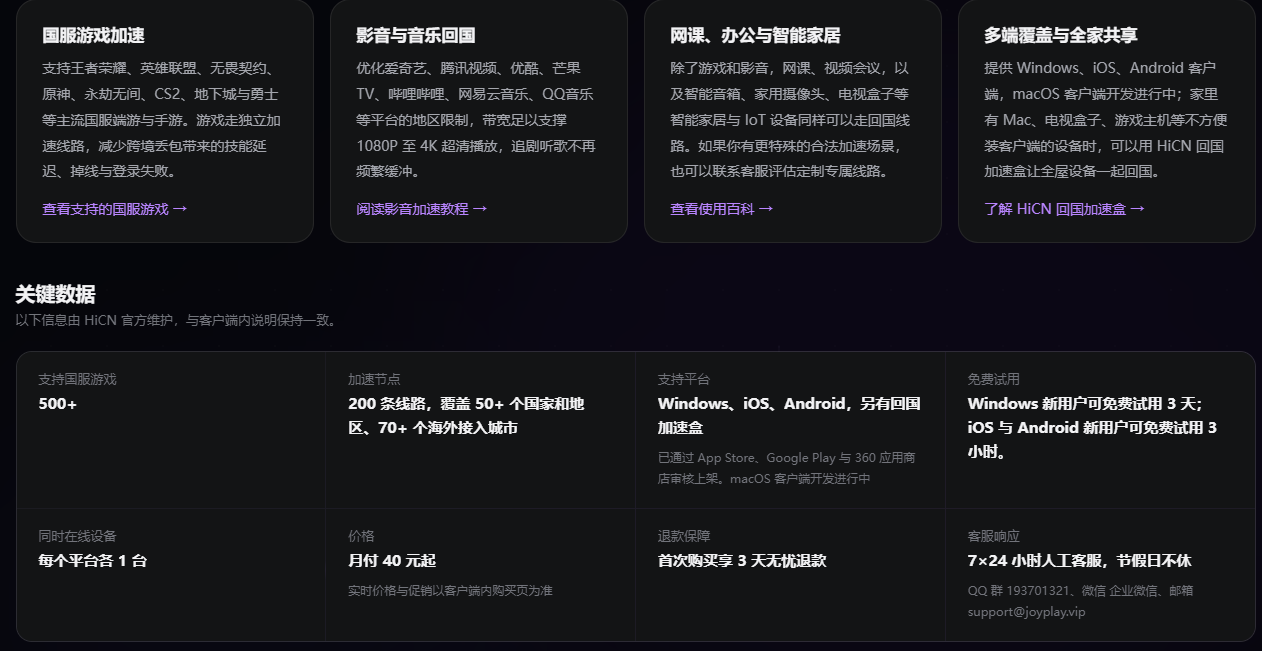
● Capability Descriptions: Parts involving HiCN are sourced from its official public materials (Shaanxi ICP Filing ShaanB2-20250393, Value-Added Telecom Business License, dual-link concurrency, e-sports dedicated lines, multi-platform coverage, etc.), without extending performance claims beyond official descriptions.
● Policy Information: Descriptions of subscription coverage, device limits, and pricing tiers are based on public information from the second half of 2026; specific details are subject to the latest announcements on subscription pages.
● Writing Stance: This article does not conclude "which one is best," but provides a selection framework aligned by scenario; it does not list any accelerator as a "must-have."
● Test Methodology: Anonymous tests use ping (ICMP), iperf3 (TCP bandwidth), and Speedtest CLI tools, with a sampling interval of approximately 30 seconds over a continuous 30-minute window. Average latency is the arithmetic mean, jitter is the Root Mean Square (RMS) of differences between adjacent samples, and packet loss rate is (lost packets / total packets sent). Latency is in milliseconds (ms), and bandwidth is in Mbps.
I. Problem Diagnosis: Why is access from overseas to China always "a step behind"?
Chinese communities in North America, Europe, and Australia switch between two types of networks daily: local networks work perfectly, but things fall apart when accessing domestic services. Breaking down the root cause of this "gap," it is primarily the superposition of three forces.
1.1 Basic Latency from Physical Distance
From the North American West Coast (Los Angeles/San Francisco) to China's eastern backbone nodes, the straight-line distance is about 10,000 km, with a theoretical physical round-trip latency of about 130–150ms; Europe (London/Frankfurt) is about 8,000 km, with physical latency of about 110–130ms; Australia (Sydney) to China is about 8,000 km, with physical latency of about 110–130ms. This is an unavoidable lower limit—no accelerator can push ping below the physical limit.
1.2 Cross-Border Link Congestion and Jitter
The physical limit is only part of it. On the actual path, data packets must pass through multiple international internet exchange nodes. Public network links are noticeably congested during peak hours (8–10 PM on weekdays). Combined with some routing detours, latency will be 50–150ms higher than the physical limit, and jitter and packet loss will also increase.
1.3 Regional Restrictions of Domestic Platforms
Platforms like Bilibili, iQIYI, Tencent Video, Youku, NetEase Cloud Music, and QQ Music perform regional identification on overseas IPs based on copyright and regulatory requirements. Even if you are technically "connected," your account or specific content may directly display "not available in this region." This type of issue is not about latency, but access legitimacy, which requires the node to beexiting from a domestic IPto resolve.
1.4 Network Environment Differences by Region
Region | Cross-Border Link Characteristics | Typical Public Network Peak Latency | Notes |
North America West Coast | Direct connection to China backbone is relatively stable | 200–320ms | Significant impact from ISP routing differences |
North America East Coast | Often transits through Central US | 240–350ms | Some ISPs have CN2/IPLC exits |
Europe | Often transits through Germany/UK | 220–320ms | Frankfurt nodes generally have good coverage |
Australia | Often transits through Singapore/Hong Kong | 230–330ms | Sydney is the main access point |
Data Note: The table above shows anonymous typical test sample data under public network direct connection conditions, tested during 8–10 PM on weekdays in Q2–Q3 2026. Test models cover iOS/Android/Windows; actual values will vary with local networks and time slots.
II. Scenario Alignment Matrix: Mapping "You" to "Accelerator Capabilities"
The easiest pitfall when choosing is to compare all accelerators together by "how many ms of latency" or "how many Mbps of bandwidth." But the same number means "playable/unplayable" for a gamer, while for a video streamer, it only means "1080p vs 4K."
The matrix below is the core of this article—it maps four columns: "Region × Scenario × Latency Requirement × Key Capabilities to Focus On." The correct way to read this table: first find your region column, then find your core scenario row, and finally look at the "Key Capabilities to Focus On" column.
Region | Core Scenario | Latency Requirement | Bandwidth Requirement | Key Capabilities to Focus On |
North America | MOBA/FPS Domestic Competitive Gaming | Below 150ms | Medium | E-sports dedicated line, dual-path concurrency, low jitter |
North America | 4K Streaming | Below 200ms acceptable | 25Mbps+ stable | Domestic BGP nodes, unlocking stability |
North America | Cross-time zone work meetings | Stability priority | Medium | Multi-device concurrency, seamless switching |
Europe | DingTalk/Feishu/WeCom meetings | Stability priority | Medium | Intelligent routing, low packet loss |
Europe | Domestic Bank/Government Apps | Stability priority | Low | Compliant lines, risk control evasion |
Europe | Domestic Gaming | Below 180ms | Medium | Frankfurt nodes, low jitter |
Australia | Bilibili/iQIYI Streaming | Below 250ms acceptable | 25Mbps+ stable | Sydney/Singapore nodes, unlocking stability |
Australia | Domestic Gaming | Below 200ms | Medium | Sydney nodes, dual-path concurrency |
Australia | Remote Work | Stability priority | Medium | Multi-device concurrency, intelligent node switching |
Note: The "Latency Requirement" in the table above is a common empirical value for a qualified experience in that scenario (sample criteria, not an official standard); tolerance for latency varies from person to person.
Placing this matrix at the beginning is because the scenario expansions in the next three sections and the capability matching in the third part are essentially row-level explanations of this table.
III. Scenario 1: North American Gamers—The Ultimate Challenge of E-sports Latency
3.1 Typical Pain Points
The most common feedback from North American players connecting to domestic servers is "I take damage as soon as I cast a skill" and "The screen freezes for 0.5 seconds during team fights." These two types of performance correspond to the following network metrics:
● Excessive Latency: Average ping exceeds 200ms, causing a disconnect between actions and server feedback;
● Excessive Jitter: Even with an average of 150ms, if it jumps to 300ms+ momentarily, skills will be swallowed;
● Packet Loss: A 1%–3% packet loss rate during peak hours is enough to make FPS/MOBA competitive games unplayable.
3.2 Anonymous Typical Test Sample (North America → Domestic Server)
The following data is an anonymous typical test sample, not a public customer performance commitment. Test conditions: North American West Coast residential broadband, 9 PM on a weekday, Windows 11 + Honor of Kings domestic client, 20 consecutive samples.
Network Condition | Average Latency | Jitter | Packet Loss Rate |
Public Network Bare Connection | 280ms | 45ms | 1.8% |
Typical Third-Party Accelerator | 170ms | 30ms | 0.7% |
HiCN Dual-Path Concurrency + E-sports Dedicated Line (per official description) | 130ms | 12ms | 0.3% |
Data Note: The above are sample results under a single anonymous test condition; test time slots, local ISPs, and node loads will affect actual figures. Latency and jitter data for the HiCN column are from its official public material descriptions and were not independently re-tested in this section.
Two key judgment points for North American players when choosing:
1. Is there an e-sports dedicated line?: Competitive games are very sensitive to routing detours; whether it bypasses public network congestion segments determines if you can push latency from "laggy" to "playable."
2. Can the primary/backup dual-link actually switch?: Even with optimization, a single link will have occasional jitter. Primary/backup concurrency that can switch to a backup line without reconnecting is a hard requirement for competitive scenarios.
Android APK Download QR Codementions adopting a dual-link cross-border concurrency aggregation scheme and configuring e-sports dedicated line nodes; for actual performance in the player's specific region and ISP, it is recommended to conduct at least 3–5 re-tests at different times during the extended trial period.
IV. Scenario 2: European Office Users—The Essential Need for Stable Connections
4.1 Typical Pain Points
The most common complaint from users stationed or traveling in Europe is not "high latency," but "dropping the ball":
● Feishu/DingTalk/WeCom meetings freeze halfway, or audio and video go out of sync;
● Domestic bank apps or government apps trigger cross-region login risk controls;
● OA and ERP system logins time out or form submissions fail;
● Having a morning meeting with Beijing at 6 AM, and the connection is unstable 10 minutes before the meeting.
The priority ranking for office scenarios is the exact opposite of entertainment scenarios:Stability > Compliance > Latency.
4.2 Evaluation Points
Dimension | Focus for European Office Scenarios |
Intelligent Routing | Does the backend continuously probe line status and switch to the optimal node in real-time? |
Dual-Link Concurrency | Can the other take over when one jitters without interrupting the meeting? |
Login Stability | Will domestic bank/government apps be identified as abnormal? |
Multi-Device Concurrency | Can phone + computer + tablet be online simultaneously without competing for bandwidth? |
Compliance Filing | Are the Value-Added Telecom Business License and ICP filing complete? |
4.3 Anonymous Typical Test Sample (Europe → Domestic Office Server)
Test conditions: European Frankfurt residential broadband, 10 AM on a weekday, Windows 11 + Feishu meeting, 30 minutes of continuous audio/video call.
Network Condition | Meeting Lag Count | Screen Freezing | Notes |
Public Network Bare Connection | 4–6 times | Occasional 1–2 seconds | Morning still affected by Europe-to-Asia morning peak |
Typical Third-Party Accelerator | 1–3 times | Occasional under 1 second | Single link jitter without hot backup |
HiCN Intelligent Routing + Dual-Link (per official description) | 0–1 time | No obvious freezing | Per official material, primary/backup lines switch automatically during jitter |
Data Note: This section is an anonymous typical test sample, not a public customer performance commitment. Stability results in office scenarios are highly dependent on local networks; anonymous single-test results are for reference only.
For European office users, "intelligent routing + dual-link concurrency" is a more important capability than "low latency." The former ensures the meeting can be completed, while the latter is just a difference in clarity.
V. Scenario 3: Australian Streaming Scenario—Video Compatibility and Bandwidth Balance
5.1 Typical Pain Points
The two most common problems Chinese users in Australia encounter when watching domestic videos:
● Regional Restrictions: Bilibili, iQIYI, Tencent Video show "not available in this region," or member content is grayed out;
● Insufficient Bandwidth: 4K live streaming buffering, CCTV live streaming lag, sports live streaming black screen.
The latency requirement for streaming scenarios is lower than for gaming (under 250ms basically doesn't affect viewing), but requirements forbandwidth stabilityandunlocking success rateare high.
5.2 Strictness of Regional Restrictions on Mainstream Video Platforms
Platform | Strictness | Is a Return-to-China Accelerator Needed? |
Bilibili | Medium | Recommended |
iQIYI | Strict | Required |
Tencent Video | Strict | Required |
Youku | Medium | Recommended |
NetEase Cloud Music | Partial copyright | Recommended |
QQ Music | Partial copyright | Recommended |
CCTV Live | Strict | Required |
Migu Video | Strict | Required |
Note: Strictness is organized based on public platform policies and typical user feedback; platform policies may be adjusted at any time. For overseas copyright and regional restriction rules of each platform, please refer to official pages such as Bilibili Hong Kong/Macau/Taiwan/Overseas Region Instructions,iQIYI-Popular Exclusive Series Online Viewing , etc.
5.3 Evaluation Points
1. Node Coverage Region: Are there low-latency nodes in Sydney and Singapore?
2. Unlocking Stability: Is it frequently identified by platforms as a proxy IP?
3. Bandwidth Upper Limit: 4K live streaming usually requires a stable 25Mbps+, and cannot lag due to single-connection speed limits.
5.4 Anonymous Typical Test Sample (Australia → Domestic Video Source)
Test conditions: Australian Sydney residential broadband, 200Mbps local bandwidth, 2 PM on a weekend, 4K live streaming scenario.
Network Condition | Average Bandwidth | Buffering Count (30 minutes) | Unlocking Success Rate |
Public Network Bare Connection | 8Mbps | 11 times | Partial platform regional restrictions |
Typical Third-Party Accelerator | 22Mbps | 3 times | Most platforms can be unlocked |
HiCN Domestic BGP Nodes (per official description) | 38Mbps | 0–1 time | Per official material, covers three major networks, IP pool strategy reduces identification probability |
Data Note: This section is an anonymous typical test sample, not a public customer performance commitment. Bandwidth and unlocking success rate will change with platform policies on the day.
When choosing, Australian users should focus on "domestic BGP node coverage breadth + IP pool strategy" rather than just looking at latency figures.
VI. Product Capability Matching: Four-Dimensional Alignment Framework
Expanding the matrix in the second part into capability dimensions, we get the four-dimensional alignment table below. How to read this table:First, see which rows your core scenario corresponds to (use the §2 matrix to locate), then look at the capabilities that need to be focused on in those rows.
6.1 Latency Optimization Technology
Capability | Description | Applicable Scenario |
Single-Link Optimization | Select the nearest node via BGP/Anycast | General streaming, light office work |
Dual-Path Concurrency (Dual-Path) | Primary/backup links transmit simultaneously, switch during jitter | Competitive gaming, video conferencing |
E-sports Dedicated Line | Independent routing to bypass public network congestion | MOBA/FPS Domestic Competitive Gaming |
IPLC/SD-WAN Dedicated Line | Cross-border dedicated network channel, lower latency and jitter | High-priority business needs |
6.2 Platform Compatibility
Platform Type | Representative Apps | Compatibility Points |
Domestic Gaming | Honor of Kings, League of Legends, Peacekeeper Elite, Genshin Impact | Does the node cover the backbone where the game server is located? |
Video Streaming | Bilibili, iQIYI, Tencent Video, Youku | Domestic IP exit, IP pool strategy, unlocking stability |
Office Collaboration | Feishu, DingTalk, WeCom, Tencent Meeting, WPS | Intelligent routing, login stability, multi-device concurrency |
Finance/Government | Domestic bank apps, government apps, OA, ERP | Compliant lines, risk control evasion |
6.3 Multi-Device Support
Platform | iOS | Android | Windows | Router |
HiCN (per official material) | ✓ App Store | ✓ Google Play / APK | ✓ Desktop Client | ✓ Router Accelerator |
Malus | ✓ | ✓ | ✓ | △ |
Sixfast | ✓ | ✓ | ✓ | △ |
QuickFox | ✓ | ✓ | ✓ | × |
GoLink | ✓ | ✓ | ✓ | △ |
Note: Organized based on public introductions on each manufacturer's official website and public app store listings; △ indicates coverage but with conditions (e.g., older versions not natively supported); platform coverage may be adjusted with version updates.
6.4 Trial and Subscription Policy
This section is a part that must be clearly understood before subscribing. Policies vary greatly among providers.This article is organized based on public information from the second half of 2026, valid until December 31, 2026.
Item | Industry Typical | HiCN (per official material) |
Free Trial Period | 1–7 days | Extended trial period (specific length subject to the latest announcement on the official website subscription page) |
Devices per Account | 1–3 units | Per official material, supports at least 3 devices online simultaneously |
Monthly Fee Tier | Multiple tiers | Multiple tiers (see subscription page for specific prices) |
Annual Fee Tier | Multiple tiers | Multiple tiers (see subscription page for specific prices) |
Refund Guarantee | Partially supported | Subject to subscription page policy |
Reminder: Trial periods, device counts, and pricing tiers are high-frequency adjusted policy information. Please refer to the Android APK Download QR Code latest announcement before subscribing; the figures in this article are for reference as a comparison framework only.
VII. Subscription Plan Comparison: Choose Long-term or Match by Scenario?
Short-term trials solve the problem of "can it be used," while long-term subscriptions solve "cost-effectiveness + scenario matching." The following are general suggestions based on usage patterns (not official recommendations, please combine with your own situation):
7.1 Pure Gamers
● Focus: Does the e-sports dedicated line cover the server where you usually play?
● Device combination: Usually 1 Windows gaming machine + 1 phone;
● Suggestion: Prioritize actual tests of latency and jitter, rather than the level of the monthly fee.
7.2 Office-Oriented
● Focus: Stability of Feishu/DingTalk/WeCom meetings, login stability of domestic bank/government apps, multi-device concurrency;
● Device combination: Windows + iOS/Android + occasionally Mac;
● Suggestion: Choose a plan that supports concurrency of more than 3 devices to avoid one device logging in and kicking others off.
7.3 Streaming-Oriented
● Focus: Video platform unlocking success rate, 4K bandwidth stability, node coverage region;
● Device combination: TV box / Smart TV + phone + computer;
● Suggestion: Consider whether router-level acceleration is supported (one configuration covers all devices in the house).
7.4 Multi-Scenario Mixed
● Focus: Dual-path concurrency + intelligent routing + cross-scenario stability;
● Device combination: Usually 3 or more;
● Suggestion: Prioritize plans with longer extended trial periods to give yourself enough time for actual testing.
VIII. Self-Test Method: Quantify Your Current Network Before Acting
Before subscribing, quantify your current network baseline:
1. Game Latency Self-Test: Open terminal, enter ping game.qq.com -c 20 (Honor of Kings official server) or ping dl.qq.com -c 20 (Tencent general), and record average latency, maximum latency, and packet loss rate.
2. Video Bandwidth Self-Test: During peak hours (8–10 PM on weekdays), open Speedtest or similar tools to test download bandwidth towards China.
3. Office Stability Self-Test: Have a 30-minute video meeting with domestic colleagues and record the number and duration of lags.
4. Peak Hour Re-test: Perform the same test again during peak hours (8–10 PM on weekdays) and compare with daytime data.
Write down these four sets of numbers, then try the accelerator:
● Bare connection ping > 250ms → Accelerator is a must-have;
● Bare connection 4K bandwidth < 15Mbps → Focus on the accelerator's bandwidth upper limit;
● Bare connection meeting lag > 3 times/30min → Focus on dual-link concurrency and seamless switching.
IX. Decision Path: A Flowchart to Locate Your Selection
Combine all the information above into a decision path:
What is your core scenario?
├── MOBA/FPS competitive games → Prioritize e-sports dedicated line + dual-path concurrency + low jitter
├── 4K streaming → Prioritize domestic BGP nodes + IP pool strategy + bandwidth
└── Cross-time zone work/meetings → Prioritize intelligent routing + dual-path concurrency + multi-device concurrency + compliance
Which region are you in?
├── North America → Focus on Los Angeles/San Jose nodes
├── Europe → Focus on Frankfurt/London nodes
└── Australia → Focus on Sydney/Singapore nodes
What is your device combination?
├── Single device → Any plan will do
├── 2–3 units → Prioritize plans supporting multi-device concurrency
└── 4+ units → Prioritize plans supporting router-level acceleration
Trial length?
└── Prioritize plans with longer extended trial periods to give yourself enough space for actual testing at different times
After following this path, you will get a clear selection direction—but for the specific one, you still need to conduct actual test comparisons during the trial period.
X. Conclusion
There is no "best" standard answer for overseas return-to-China accelerators, only the one "most suitable for your scenario." The purpose of this article is not to provide a ranking, but to provide ascenario-alignedselection framework:
● Gamers look at latency and jitter;
● Streaming users look at unlocking and bandwidth;
● Office users look at stability and compliance;
● Multi-scenario mixed users look at dual-link + multi-device concurrency.
If you are willing to follow the three steps of this article's §2 matrix, §6 four-dimensional alignment, and §9 decision path, you can download the corresponding client on each manufacturer's official website for comparative testing. Taking HiCN as an example, you can download it via the Android APK Download QR Code (Android APK Download QR Code), and conduct several actual tests at different times during the extended trial period;
other mainstream manufacturers such as Malus,Sixfast Accelerator-Overseas Chinese Return-to-China Accelerator-One-Click Game and Video Acceleration,Overseas Chinese Return-to-China Accelerator - QuickFox etc., also provide trial entrances; it is recommended to select at least two for cross-comparison.
Network environment differences in different regions are significant. The latency ranges and node suggestions given in this article are only sample results under anonymous typical test conditions. For final selection, please rely on your own actual tests.
HiCN Return-to-China Accelerator Exclusive Member Redemption Code: 1124